
Download Quickoffice APK – Mobile Office Suite, Word Processing, Spreadsheet, Presentation, PDF Editor
Overview
Quickoffice Pro is a mobile office suite designed for Android devices, enabling users to create, view, and edit Microsoft Office files directly from their smartphones. The software serves as a practical solution for professionals and students who need to manage documents on the go. It supports core file formats such as Word, Excel, PowerPoint, and PDF, allowing seamless access to work files regardless of location.
The application is particularly useful for individuals who rely on cloud storage services and require quick access to documents during travel or remote work. While the developer did not provide additional background details, Quickoffice Pro has historically been associated with productivity-focused mobile tools. The software allows users to import and export files across multiple platforms, making it ideal for collaborative workflows.
Real-world usage scenarios include editing a report during a commute, reviewing a spreadsheet in a meeting, or preparing a presentation from a personal device. Despite the lack of advanced formatting options, the app delivers sufficient functionality for basic to intermediate document management tasks.
Key Features & Capabilities
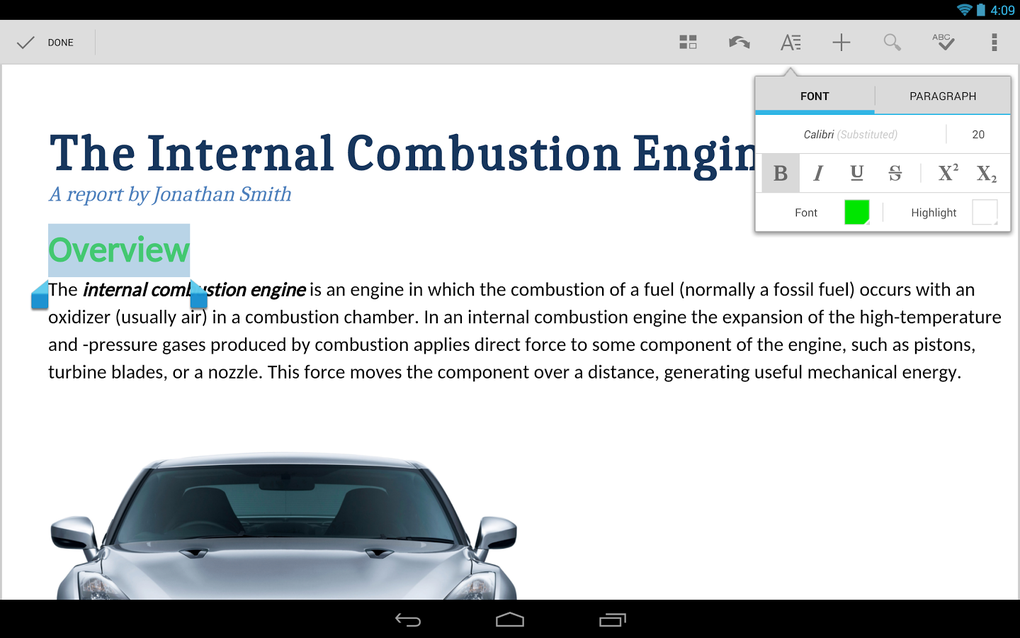
- Quickword – A word processing tool that supports essential functions such as word count, find and replace, spell checking (available as a separate download), and insertion of tables, images, and bullet points.
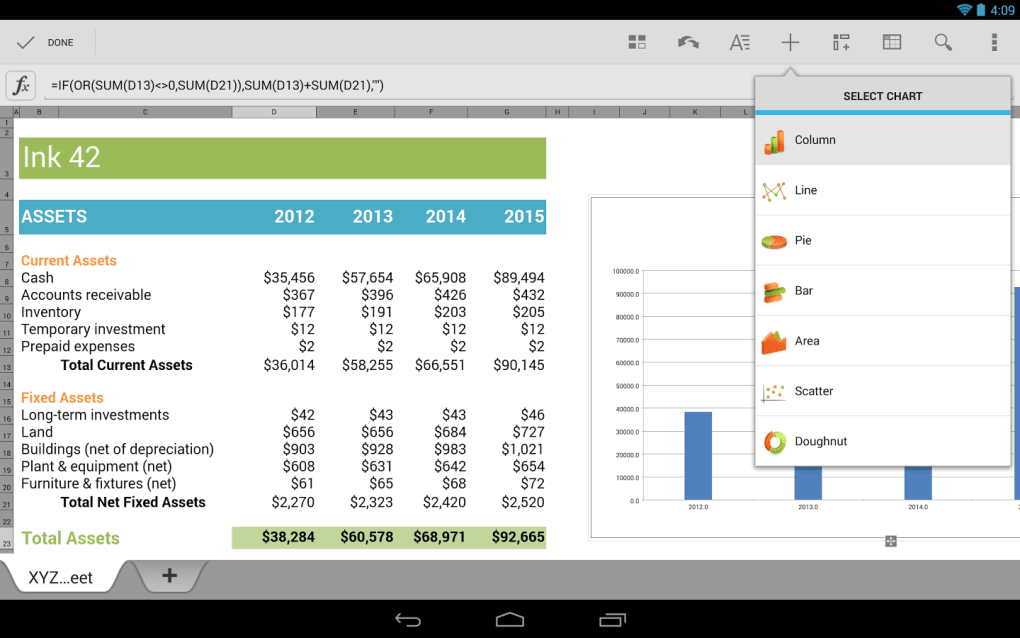
- Quicksheet – A spreadsheet application for managing data, performing basic calculations, and organizing information with grid-based input.
- Quickpoint – A presentation tool that enables users to create and edit slide decks compatible with Microsoft PowerPoint.
- QuickPDF – A PDF editor for viewing, annotating, and modifying PDF documents created in Adobe Acrobat or other sources.
- Cloud Integration – Supports access and editing of files stored in Google Docs, Dropbox, SugarSync, MobileMe, Evernote, and other cloud platforms.
- File Sharing – Allows direct sharing of documents via email, SMS, or Bluetooth from within the app.
- Local File Access – Enables users to open and edit documents saved directly on the device’s storage.
- Format Compatibility – Imports and exports files in Microsoft Office and Adobe Acrobat formats, ensuring cross-platform usability.
These features collectively support a streamlined workflow for mobile professionals who need to stay productive outside traditional office environments. The ability to work with both cloud and local files enhances flexibility, while basic editing tools ensure that users can make quick updates without requiring a full desktop suite.
User Interface, Workflow & Performance
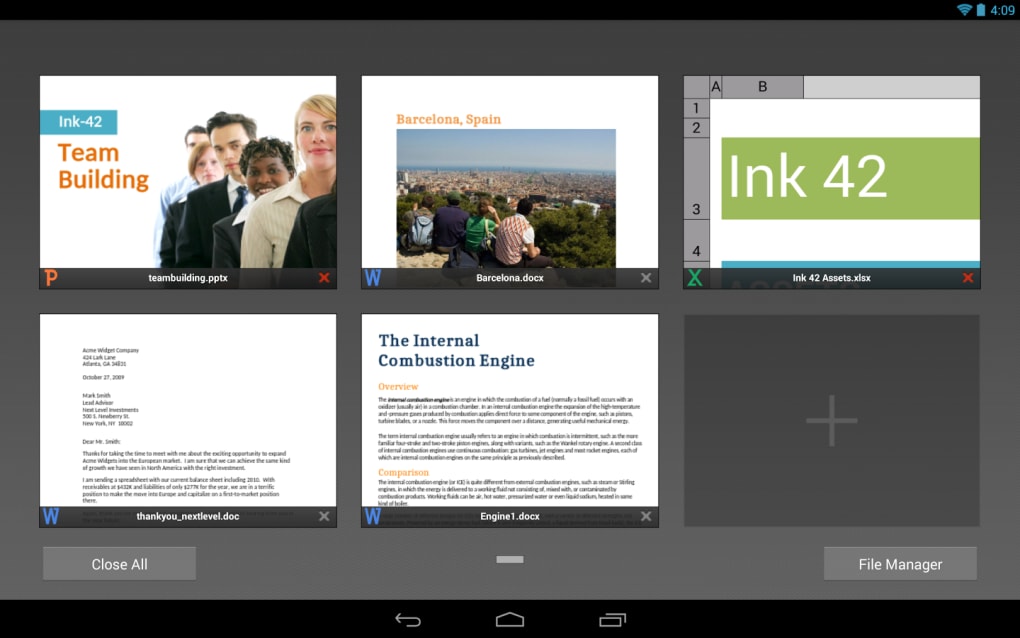
The user interface of Quickoffice Pro is structured around a clean, menu-driven navigation system. Each utility—Quickword, Quicksheet, Quickpoint, and QuickPDF—operates within its own dedicated environment, accessible through a central menu. Users interact primarily via the on-screen keyboard, which is optimized for text entry and data input.
Navigation is consistent across modules, contributing to a predictable and intuitive workflow. The app does not specify detailed performance metrics, but general behavior suggests efficient operation for standard document tasks. The developer did not provide information on CPU or RAM usage, nor did they disclose stability benchmarks.
However, recent updates have emphasized improved performance and stability, indicating ongoing optimization. The interface remains responsive for typical use cases, though complex documents may experience delays depending on device capabilities. Overall, the workflow is designed to minimize friction, allowing users to switch between tools and file sources with minimal effort.
Compatibility & System Requirements
Quickoffice Pro is designed for Android devices, though the specific OS version requirements were not provided. The installation size is not specified, nor are any hardware requirements such as minimum RAM or processor speed. The developer did not list exact system requirements, so users should refer to their device’s compatibility with Android applications.
Platform compatibility information is limited, and no details were given about support for tablets or other form factors. The app supports file formats including Word, Excel, PowerPoint, and PDF, ensuring broad accessibility across common document types. Users should ensure their device meets general Android software standards for running productivity apps.
The lack of detailed technical specifications means that performance may vary based on individual device configurations.
Pros and Cons
Pros
- Supports Microsoft Office and PDF file formats for seamless document access.
- Cloud integration with Google Docs, Dropbox, Evernote, and other platforms.
- Enables local file access for documents stored directly on the device.
- Offers essential editing tools like word count, find and replace, and table insertion.
- Improved performance and stability in recent updates.
- Reduced permissions: no longer requires location or phone state access.
Cons
- Limited advanced formatting options compared to desktop Office suites.
- No official information on system requirements or performance impact.
- Spell checker available only as a separate download.
- App is no longer available for download, having been integrated into Google’s ecosystem.
- Missing real-time collaboration features found in modern cloud tools.
FAQ Section
Is Quickoffice Pro still available for download?
Quickoffice Pro is no longer available for download through official app stores. It has been fully integrated into Google’s suite of productivity apps, including Google Docs, Sheets, and Slides.
Can I use Quickoffice on my iPhone or iPad?
Quickoffice Pro was designed exclusively for Android devices. There is no official version available for iOS platforms.
Does Quickoffice support offline editing?
Yes, the app allows users to open and edit documents stored locally on the device or in cloud services that support offline access, such as Google Drive.
Is Quickoffice secure?
The app has undergone updates to reduce permissions, eliminating access to location and phone state. This enhances privacy and security for users.
What happens to my existing Quickoffice files?
Files saved in Quickoffice can be exported to supported formats and accessed through Google’s current productivity tools, ensuring continuity of document access.
Final Thoughts
Quickoffice Pro was a reliable mobile office solution that brought essential document editing capabilities to Android users. While it is no longer available for download, its legacy lives on through Google’s integrated productivity suite. For users seeking a lightweight, format-compatible tool for on-the-go editing, the functionality once offered by Quickoffice remains accessible through modern alternatives.
The app’s clean interface, cloud integration, and local file support made it a strong choice for mobile professionals. Despite limitations in advanced features and lack of official system details, it delivered a practical experience for basic document management. If you're looking for a mobile office tool with broad format support and cloud access, consider transitioning to Google’s current offerings.
Download Quickoffice APK now for legacy access.





.png)

